“Who spoke to them last?”
Keep contact details, lead stages, categorized notes and appointment history around the customer record.
ONE WORKSPACE. EVERY MOVING PART.
Leads in one app. Jobs in a spreadsheet. Updates buried in messages. Multifunction CRM brings customer details, scheduling and job progress into one place, so sales, office and field teams can work from the same picture.
For service businesses managing leads, appointments and jobs. Early access by request.
THE PROBLEM IS THE GAPS BETWEEN TOOLS
When each team has a different version of the story, customers repeat themselves and the next step gets missed. Put the context beside the work.
Keep contact details, lead stages, categorized notes and appointment history around the customer record.
Connect schedules, project tasks, work orders and documents so the next person can see what’s happening.
Bring follow-ups, operational summaries and recorded invoice activity into view, without chasing several lists.
MEET YOUR NEXT WORKSPACE
A familiar home for your sales team, office and field crew. Explore software previews with different fictional company logos and demo records to see how the pieces fit together.
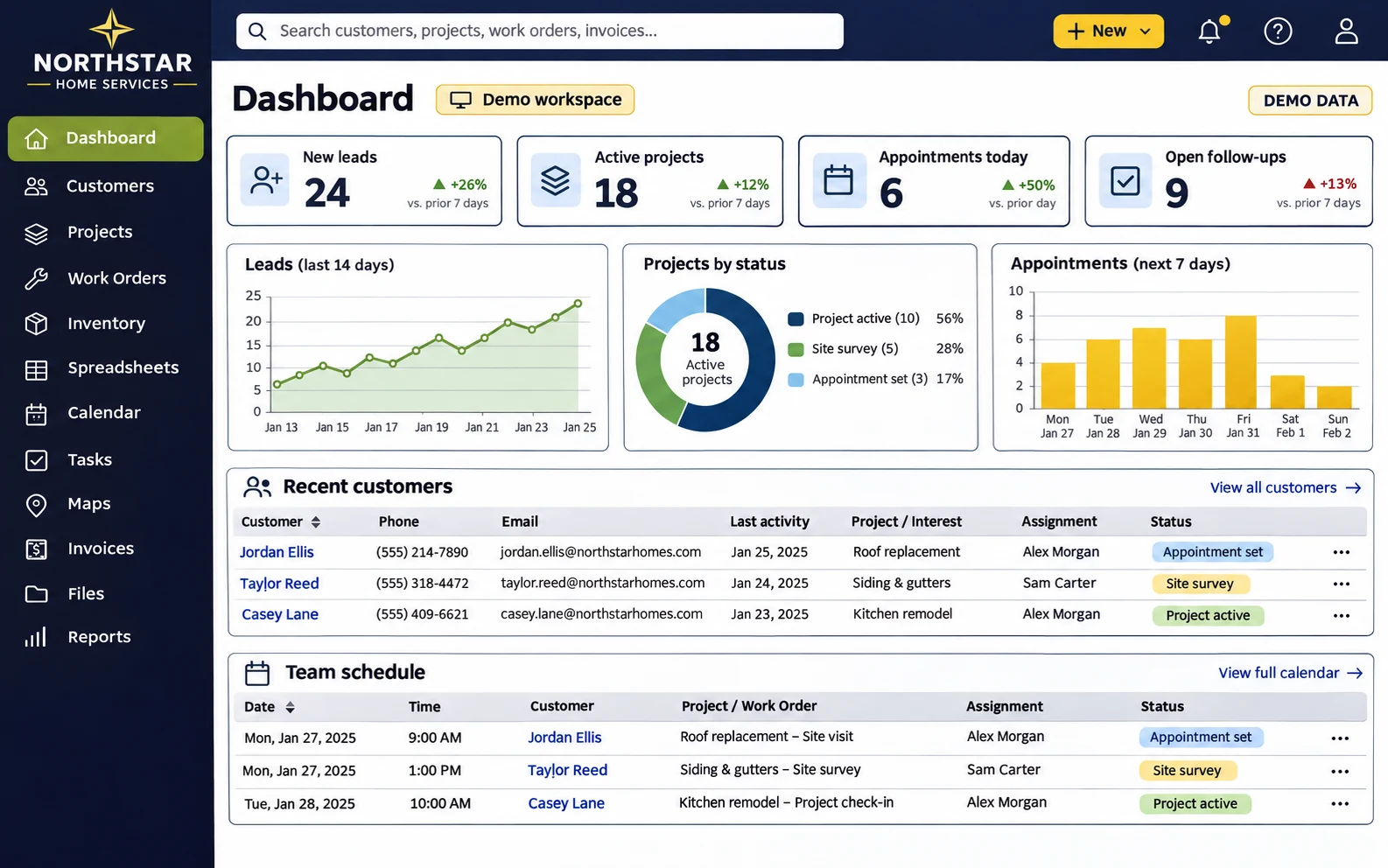
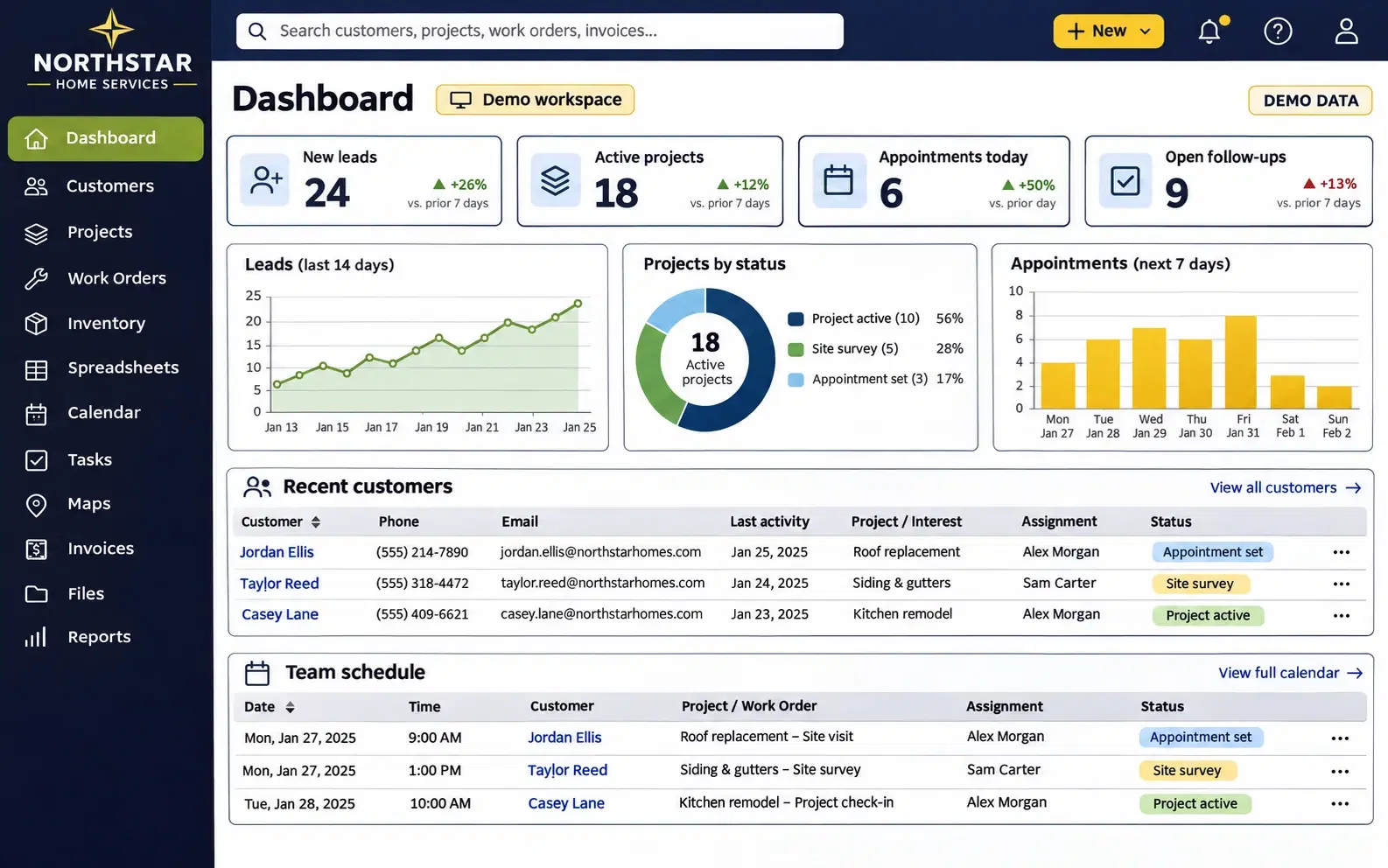
See the day’s leads, active jobs and follow-ups together.
Generated interface images with fictional companies and demo records. No live customer data is shown.
One customer record.
A connected team around it.
BUILT AROUND YOUR WORKDAY
One place for the essential tools. Give each person access to the features and records they need for their role.
Keep contacts, lead stages, assignments, activity and appointment notes together.
Plan team schedules, book from customer profiles and review appointment outcomes.
Follow each job through scopes, tasks, assignments and the work that comes next.
Explore saved customer locations and find the jobs your field team needs.
Bring familiar workbook tabs into your daily workflow, with connection controls.
Manage invoices, bills, recorded payments and customer balances alongside the job.
Track materials, quantities, locations and subcontractor assignments.
Organize job attachments and team knowledge where people can find them.
See operational summaries and build reports from the records your role can access.
Assign the next step, set priorities and keep dated tasks on the calendar.
Manage campaign workflows, content drafts and follow-up email processes.
Ask Sunny AI about permitted data. Manage support tickets, invitations, roles and access centrally.
Available tools and connected services depend on your approved workspace setup. External integrations require provider access and configuration.
A THOUGHTFUL START
We start with your team and your workflow, then plan the workspace around the information that matters.
Let’s talk about your teamShare your company, team size and the parts of your business you want to connect.
Review access, integrations and data migration before any setup. Separate company workspaces are the next stage of rollout.
After setup and access review, your team joins its own environment. New companies start empty; existing Renewable Energy Corporation staff keep their current workspace.
A PLAN FOR YOUR NEXT STAGE
Starter, Enterprise or Custom. Pricing is coming soon, and early-access conversations are open.
Explore pricing and FAQs ↗For a small team getting organized.
Coming soon
Bring your customer conversations, appointments and daily follow-ups into one place.
Planned focus
For teams connecting the whole operation.
Coming soon
Bring sales, office and field workflows together with a rollout planned around your organization.
Planned focus
For a workflow that needs a different fit.
Coming soon
Talk through specialist workflows, integrations and implementation needs with the platform team.
Planned focus
Pricing, limits and final plan inclusions will be announced before launch. This is an early-access request, not a paid subscription. No payment details are collected.
MAKE SPACE FOR BETTER WORK
Already part of the team? Sign in to your workspace